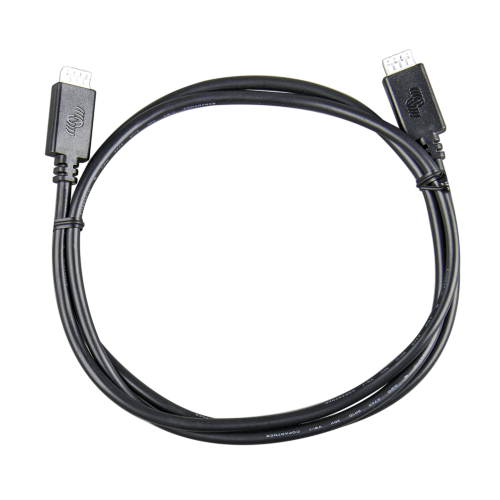
VE.Direct Cable 5m
VE.Direct Cable 5m
SKU:ASS030530250
Brand: Victron
24 in stock
Couldn't load pickup availability
Product Details
Product Details
The Victron VE.Direct Cable 5 m is a reliable data-communication cable designed for use across Victron systems. It connects devices with a VE.Direct port, such as MPPT solar charge controllers, battery monitors like the BMV range, or GX system controllers, over a longer distance, giving you flexibility in how you layout your installation.
This 5-metre cable features straight VE.Direct connectors on both ends, simplifying installation and reducing the chance of misalignment or awkward routing through tight spaces. It supports communication across a wide voltage range of 6.5 V to 95 V DC, making it suitable for many battery-powered Victron devices.
Constructed with robust insulation, the cable is rated for indoor or protected installations and is common in setups where components are spread out, for example, connecting a charge controller in a separate housing from a monitoring unit. The VE.Direct Cable is also backed by a 5-year Victron warranty, giving trade customers confidence in its long-term reliability.
Ideal use cases include connecting a Victron MPPT controller to a GX device, linking battery monitors to system controllers, or extending the reach of your data lines across larger or more spread-out installations without losing signal integrity.
Product Specifications
Technical Specifications
- SKU / Part Number: ASS030530250
- Cable Length: 5.0 meters (500 cm)
- Connector Style: Straight to straight (both ends feature straight connectors, not right-angle)
- Primary Purpose: Digital data and system communications (carries data, not operating power)
- Official Product Family: Victron VE.Direct Cable Family
- Warranty: Backed by Victron Energy’s standard 5-year warranty
Typical Applications & Compatibility Designed to connect compatible VE.Direct-equipped Victron devices to a GX communication center (such as the Cerbo GX, Ekrano GX, or Color Control GX) to expose performance data to the system. Supported hardware includes:
- SmartSolar and BlueSolar MPPT solar charge controllers
- BMV-700 Series Battery Monitors and SmartShunt
- VE.Direct-compatible Phoenix Inverters
- Peak Power Pack Batteries
- Orion XS DC-DC Battery Chargers
Supported Data Transmission (by Connected Device) The exact telemetry and configuration data transmitted depends entirely on the specific hardware being connected:
- From an MPPT Solar Charger: PV voltage, PV current, PV power, battery voltage, charging current, charging state, accumulated solar yield, charger status, historical/operational logs, and configuration settings.
- From a BMV / SmartShunt Battery Monitor: Battery voltage, current, state of charge, consumed Amp-hours, remaining runtime, instantaneous power, historical data, and active alarm/status notifications.
- From a VE.Direct Inverter: DC voltage, DC current, output power, inverter state, active alarms, and basic operating information.
Important Installation & Compatibility Notes
- Straight vs. Right-Angle: This is the straight-connector version. If your installation is in a cramped cabinet or space is highly restricted, you may require the right-angle version (part number ASS030531250) to prevent the cable from sticking straight out from the device port.
- Not a Generic Cable: VE.Direct is a proprietary digital communications interface. Although the plugs look similar to standard modular telephone or network cables, they are not electrically compatible; standard network or telephone cables must not be used.
- No Integrated Bluetooth: This is a passive digital cable. It does not add Bluetooth capabilities. To add Bluetooth to compatible older VE.Direct products, you will need the VE.Direct Smart Dongle.
- Device-to-Device Constraints: Having a VE.Direct port on two devices does not guarantee direct communication between them (for example, connecting an MPPT directly to an inverter with this cable will not allow the devices to exchange system information).
- Computer Connectivity: To connect a VE.Direct device directly to a PC or laptop for configuration, you must use a dedicated VE.Direct-to-USB Interface (ASS030530010) or VE.Direct-to-USB-C Interface (ASS030530030) rather than this cable.
Quality & Standards
- Manufacturing Quality: Produced in ISO 9001 certified manufacturing facilities
- Compliance: Meets official Declarations of Conformity standards for Victron cabling